Sommly uses Mollie to handle ticket payments. You connect your own Mollie account once and payouts land directly in your bank account. Sommly never holds your money.
Why Mollie
- You own the money. Payouts go from Mollie straight to your bank, on your normal Mollie schedule.
- Standard card + wallet support. Visa, Mastercard, Amex, Apple Pay, Google Pay, iDEAL, and more.
- Refunds in one click. If you approve a refund in Sommly, it fires the Mollie refund in the same step.
- UK-friendly. GBP-native, built for European businesses.
Connecting your account
Go to Settings in the sidebar, then the Payments tab. Hit Connect with Mollie.
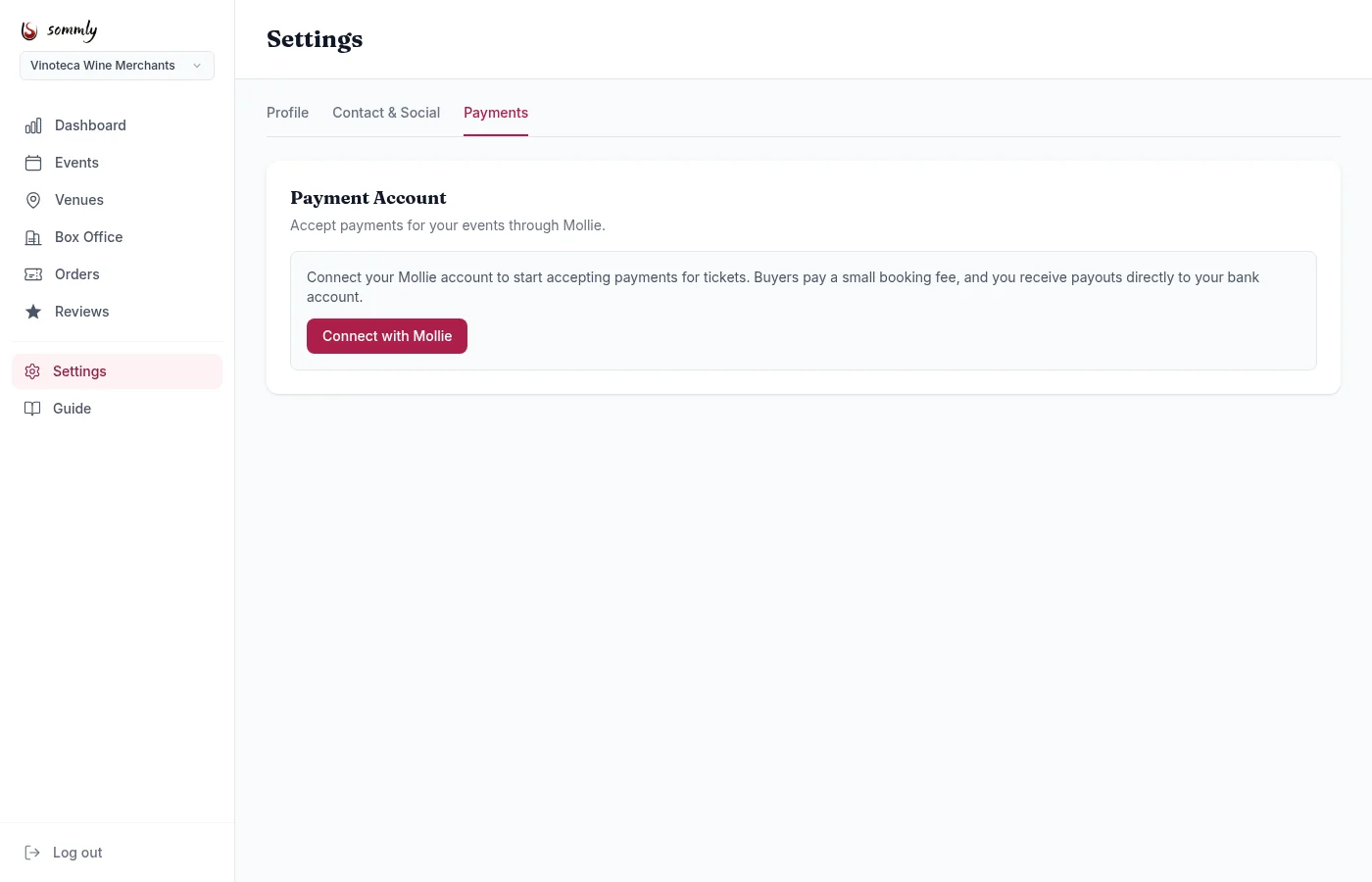
You are bounced to Mollie, where you sign in (or sign up, free) and approve Sommly. Once that is done, Mollie sends you back to the dashboard and the yellow banner disappears.
Tip
What buyers pay
On top of the ticket price, buyers pay:
- A 2.5% + 20p booking fee. This is shown before they check out.
- Mollie's own transaction fee, roughly 1%, depending on payment method.
Out of the booking fee, roughly 2% stays with Sommly as the platform fee. The rest covers Mollie. Most of the ticket price lands in your account.
Payouts
Mollie batches your payouts on the schedule you set in their dashboard (usually daily or weekly). Sommly does not hold your funds at any point. Every transaction is visible in both the Sommly Orders page and your Mollie dashboard.
Changing or disconnecting
Moving to a different Mollie account, or want to disconnect entirely? Email [email protected] and we will sort it. Past orders and payouts are untouched by a disconnect; only new ticket sales stop until you reconnect.