Every event needs a venue. A venue is a physical location (or an online placeholder for virtual events) that appears on the event page with its address, a map pin, and contact details. Visitors can also browse your venues directly.
Adding a venue
From the sidebar open Venues and hit Add Venue.
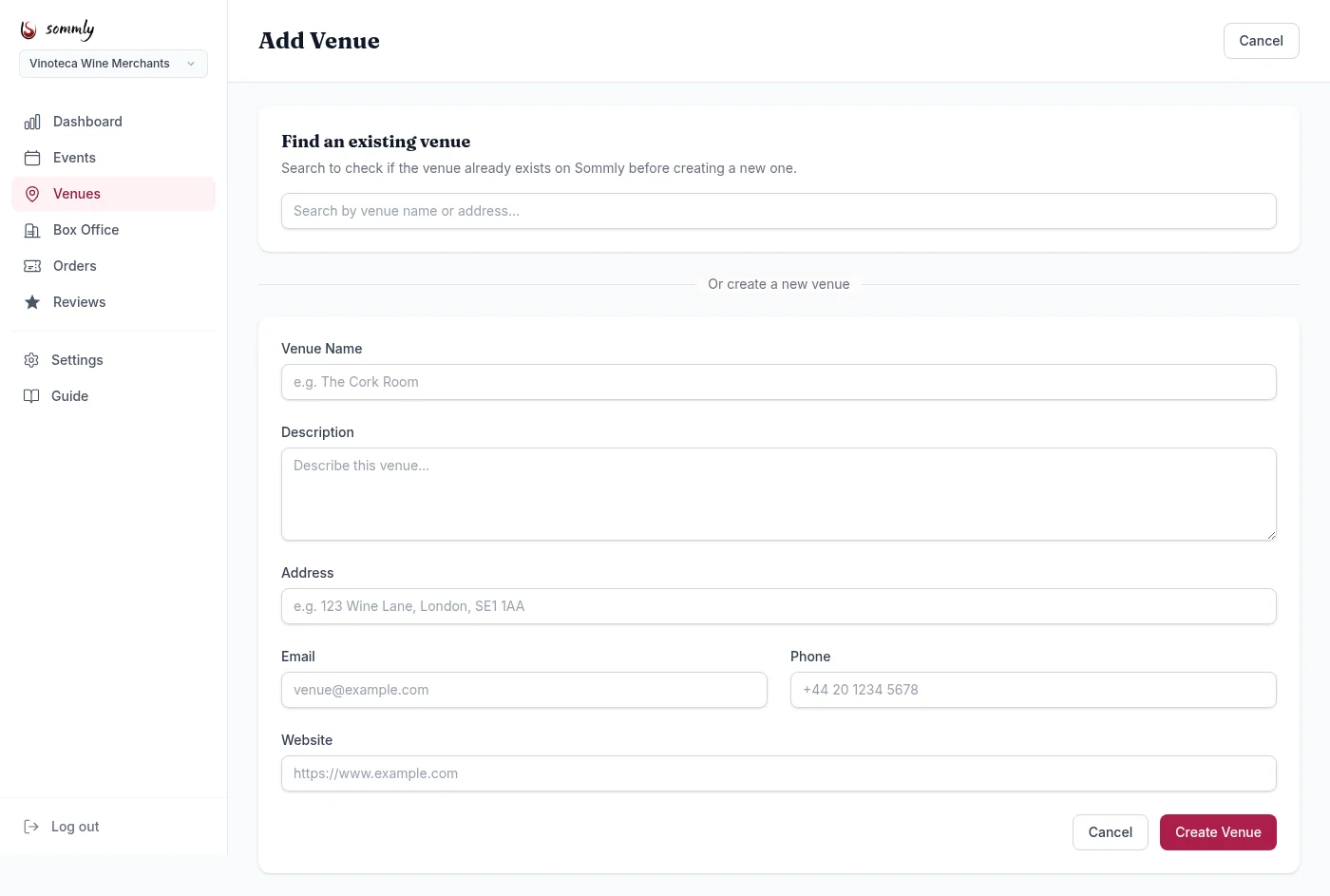
Check for existing venues first
The page starts with a search box. Type the venue name or address. If the venue already exists on Sommly (another business ran an event there, or we have it from our listings data), pick it from the results and you are linked. No need to re-enter the address or postcode.
Tip
Creating a new venue
If nothing matches, scroll to Or create a new venue:
- Venue Name. What you would put on a poster: "The Cork Room" or "Bottle Apostle Victoria Park".
- Description. One or two sentences about the room. Atmosphere, capacity, standout details.
- Address. Full postal address. This is used to place the pin on the map, so include the postcode.
- Email, Phone, Website. Optional contact info shown on the venue page.
Hit Create Venue. You will be dropped back onto the venue list with the new one at the top.
Editing or removing
Click a venue from the list to edit its details or remove it. Removing a venue only unlinks it from your business. If other businesses use it, the venue stays on Sommly. If nobody else uses it, it is soft-deleted.
Online or hybrid events
For virtual-only events, you do not need a physical venue. Pick Online as the event format when creating the event and you can skip the venue selector. Hybrid events (in-person plus livestream) still need a venue for the in-person side.