Running wine events? Sommly gives you a public profile, ticket sales, and a set of tools for managing orders. The whole thing is free to use. You pay a small platform fee per ticket sold, and that is it.
This guide walks you through the first five minutes: creating your account, getting into the dashboard, and the small set of things to do before you list your first event.
Creating your account
Head to /register and pick Event Organiser. The next screen asks for your name, your email, the name of your business, and a password.
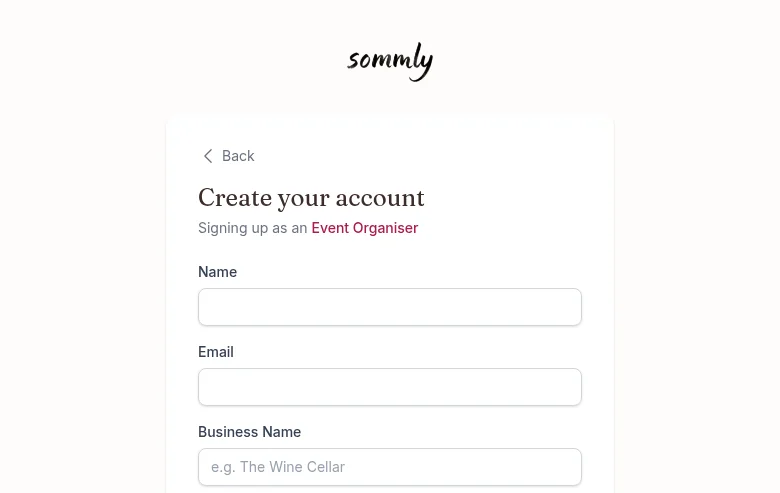
Hit Create Business Account, verify your email, and you land straight in the dashboard.
Your dashboard at a glance
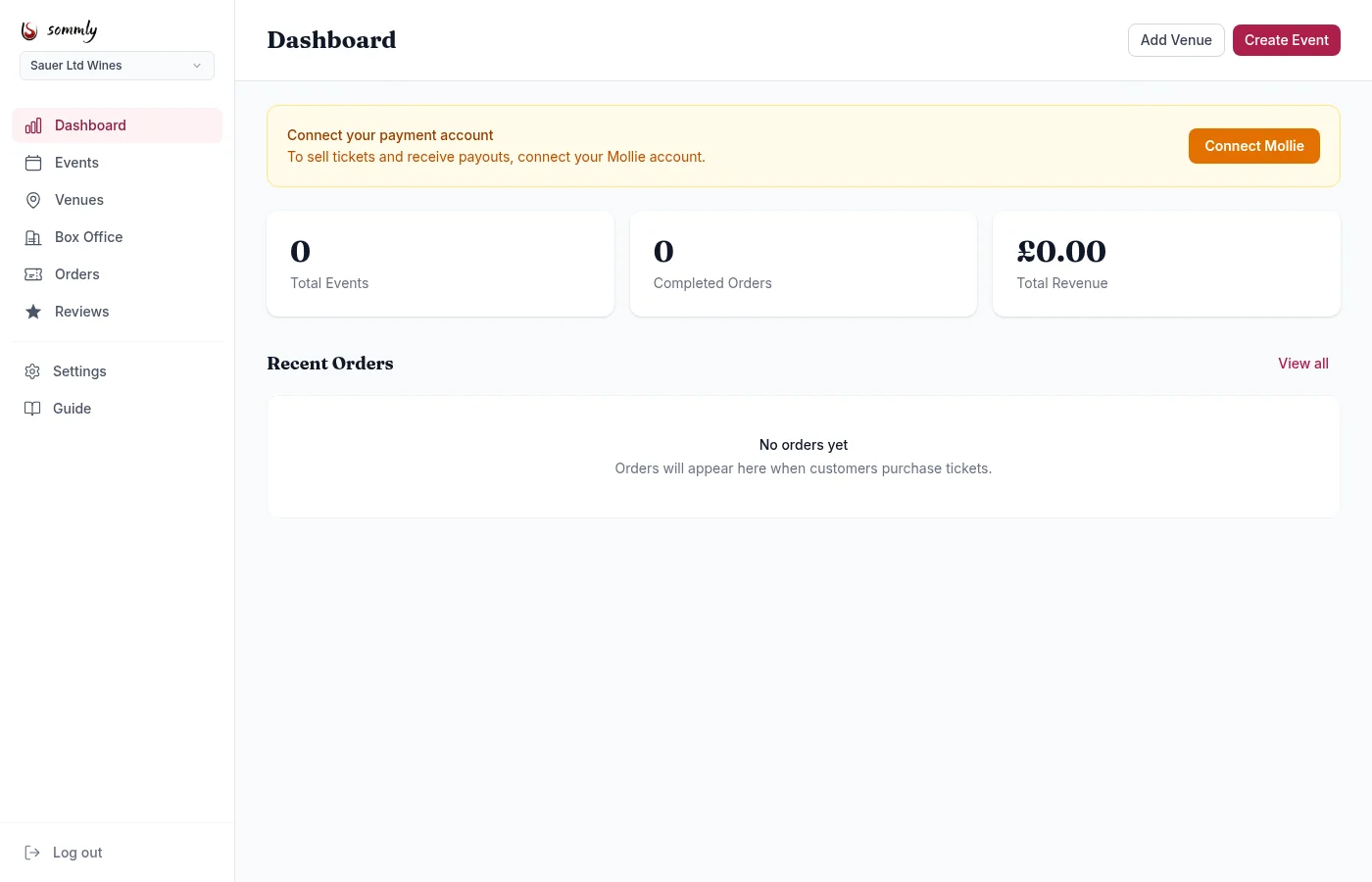
Left-hand sidebar:
- Dashboard. Stats and recent orders at a glance.
- Events. Create, edit, duplicate, and publish events.
- Venues. Manage the locations where your events happen.
- Box Office. Real-time sales view, one event at a time.
- Orders. Every ticket sold, filterable by status.
- Reviews. Customer feedback, and links you can share.
- Settings. Business profile, contact info, Mollie connection.
- Guide. This thing you are reading.
What to do first
In order, these three steps get you from signed-up to selling tickets:
- Fill in your business profile. Description, logo, cover image. This is what visitors see first.
- Connect Mollie. Without it, you can list events but not take ticket payments through Sommly.
- Add a venue, then create your first event.
Multi-business accounts
Run more than one business? You can. Once the first one is set up, an admin can link you to further businesses and a dropdown appears at the top of the sidebar to switch between them. Every page (events, orders, settings) is scoped to the currently selected business.