Every Tuesday Sommly sends a short weekly roundup of wine events happening near you. You can change what you receive, update your location, or unsubscribe entirely at any time.
Getting on the list
Scroll to the bottom of the homepage and use the Never miss an event sign-up box. Drop in your email. If this is your first time, we send a quick confirmation email with a link to add your postcode, so the roundup is actually local to you.
Managing your preferences
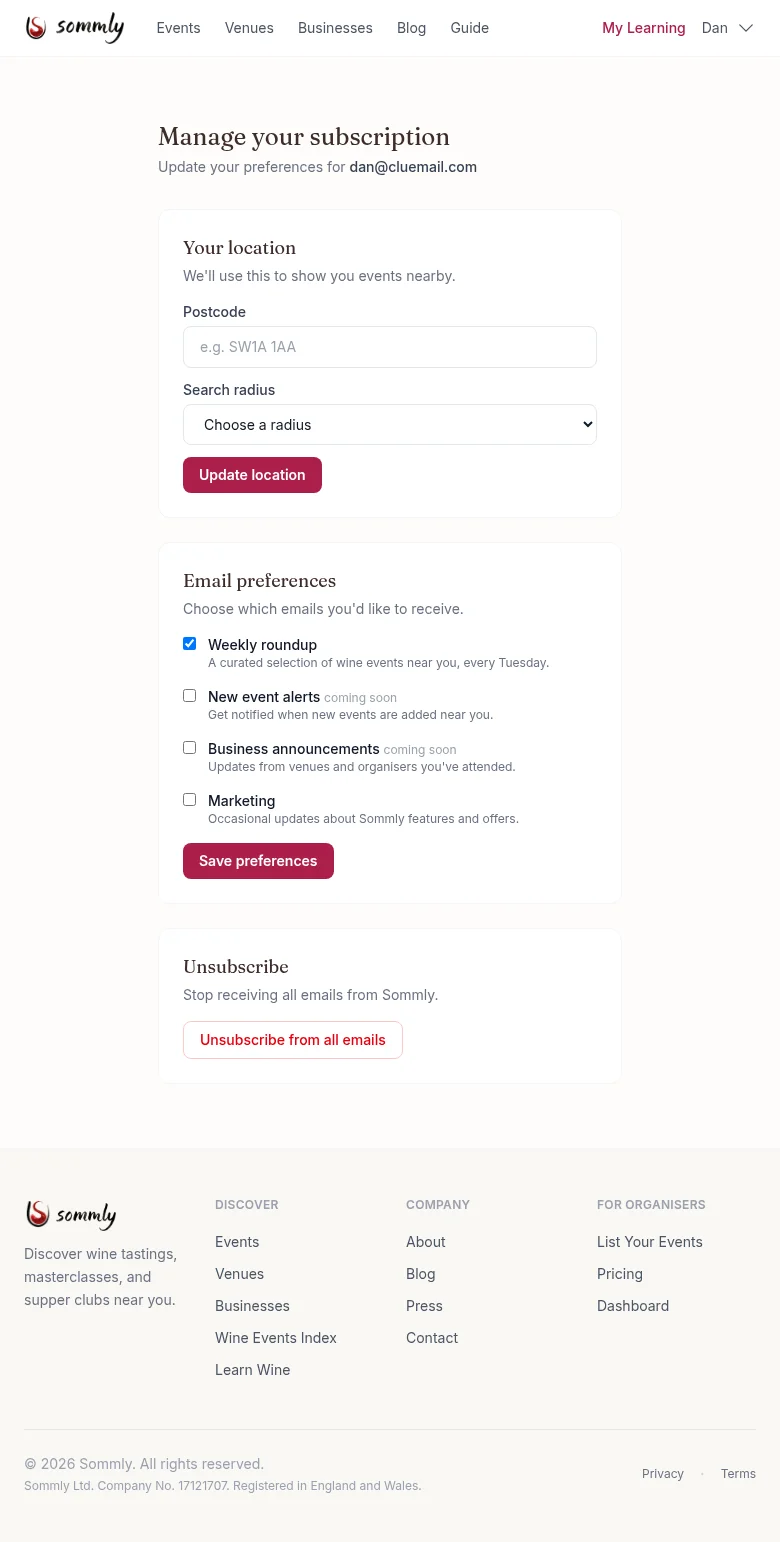
Every email we send has a Manage your subscription link in the footer. Open it and you land on a page that looks like this:
Location
The roundup is personalised to your postcode. Change your postcode or the search radius here (5, 10, 25, or 50 miles) and hit Update location.
Note
Email preferences
- Weekly roundup. The curated Tuesday email. This is the main one.
- New event alerts (coming soon). A heads-up whenever new events appear in your radius.
- Business announcements (coming soon). Updates from venues and organisers you have attended or favourited.
- Marketing. The occasional email about new Sommly features or offers. Off by default.
Toggle whichever you want, hit Save preferences, and you are done.
Unsubscribing
One button at the bottom: Unsubscribe from all emails. It turns every preference off and you will not hear from us again until you opt back in. Transactional emails (ticket confirmations, refund updates) will still send because those are tied to orders rather than the newsletter list.